
Nerdle APK
v2.0.29
Nerdlegame
Solve daily math puzzles in 6 tries with color-coded clues in the official Nerdle app!
Nerdle APK
Download For Android
More About Nerdle
| Name | Nerdle |
|---|---|
| Package Name | com.nerdle.app |
| Category | Puzzle › |
| Version | 2.0.29 |
| Size | 22.4 MB |
| Requires Android | 7.0 and up |
| Last Updated | 4 October 2026 |
Unlocking the Appeal of Number-Based Logic Challenges
The landscape of mobile puzzle software has long been populated by word-guessing games and spatial sliding blocks, leaving a distinct gap for individuals who prefer working with figures, symbols, and computational logic. For Android users who enjoy quantitative reasoning, numerical deduction games offer an entirely different sort of mental stimulation. Rather than relying on vocabulary or cultural trivia, these applications require careful calculation, pattern recognition, and systematic deduction. They appeal to a specific mindset—one that finds satisfaction in balancing equations, testing hypotheses, and watching abstract numbers fall neatly into place through pure logic.
Among software titles catering to this particular audience, math-centric deduction apps have carved out a dedicated following. They transform dry arithmetic into an investigative pastime, offering a structured environment where players can test their wits against a fresh mathematical mystery on a regular basis. Whether you are commuting, relaxing at home, or looking for a brief mental exercise during a break, these titles provide a focused way to engage the mind without demanding an immense time investment.
Core Mechanics and Gameplay Loop
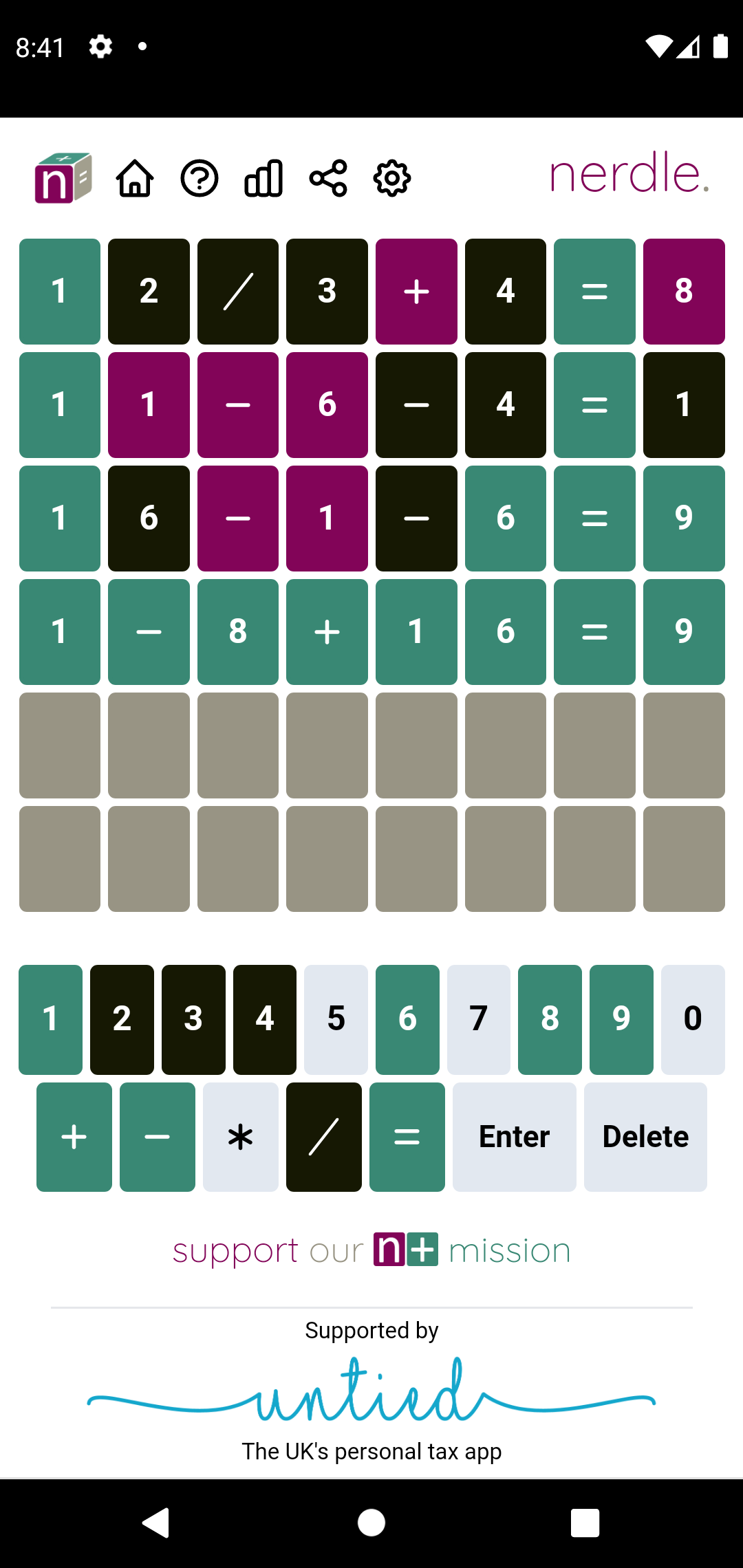
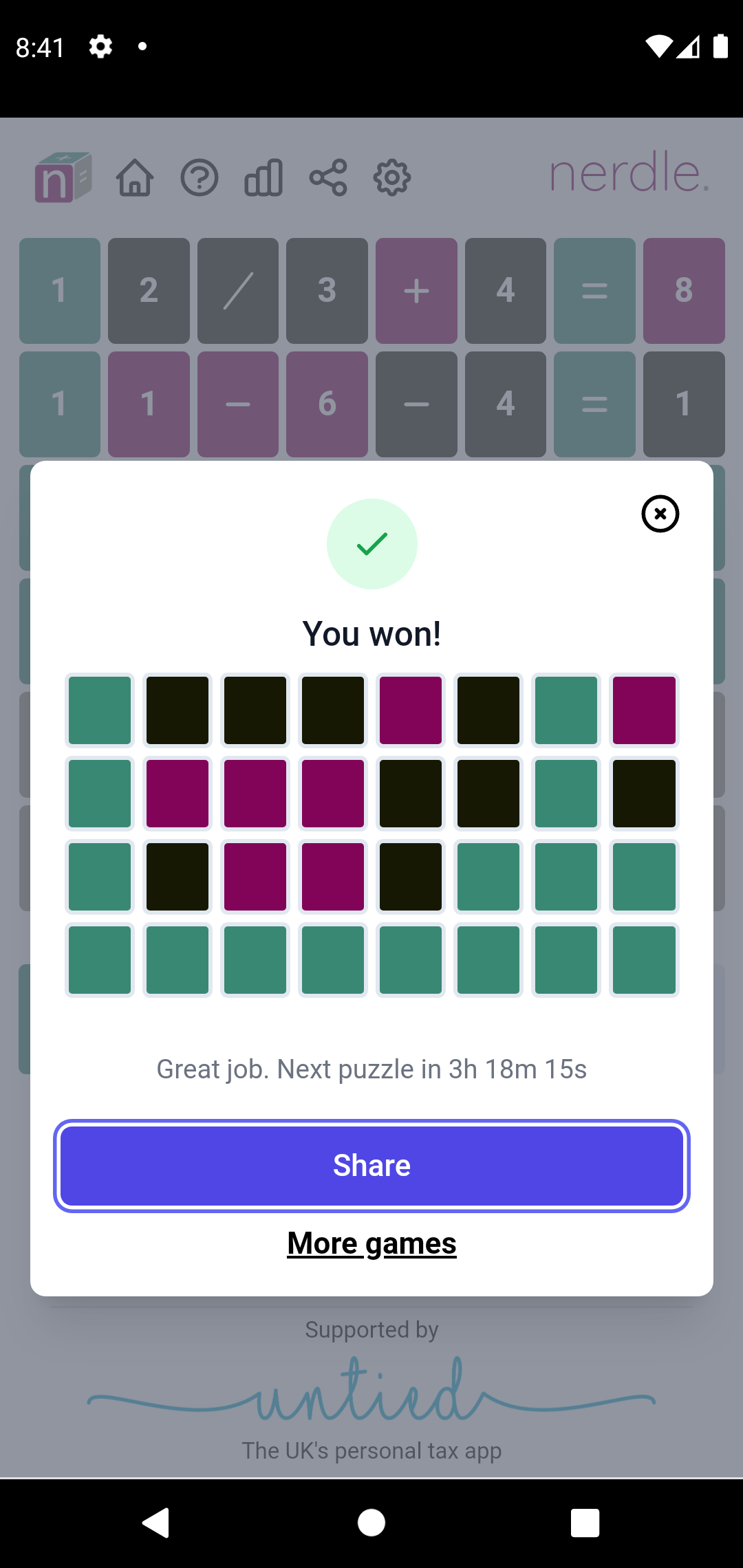
At its heart, the gameplay revolves around a straightforward yet deeply engaging premise: uncovering a hidden mathematical statement within a strictly limited number of attempts. Players are presented with an eight-character equation grid and given six chances to arrive at the correct combination of digits and operational symbols. Each submitted guess serves as an experiment, yielding immediate visual feedback that dictates your next move.
[SCREENSHOT]
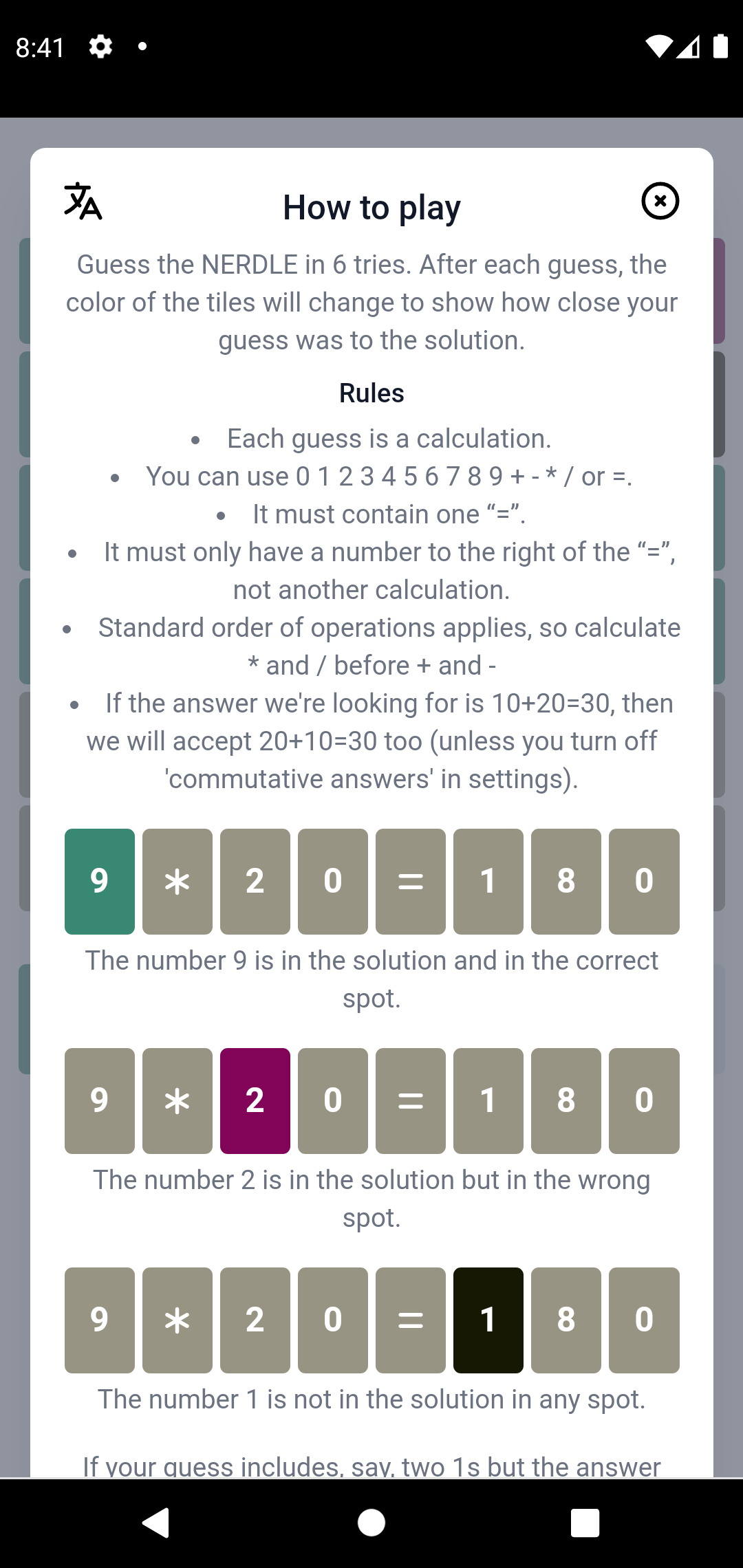
The feedback system relies entirely on chromatic tile shifts, ensuring that every submission provides actionable data rather than a dead end:
- Green indicators confirm that a specific digit or mathematical symbol occupies the exact correct position within the sequence.
- Purple indicators signal that the chosen element belongs somewhere within the equation, but currently sits in the incorrect spot.
- Black indicators reveal that the tested number or symbol has no place in the active equation whatsoever, allowing you to cross it off your mental list of possibilities.
This systematic narrowing of variables encourages methodical thinking. By analyzing past attempts alongside current clues, participants can systematically eliminate incorrect possibilities until the final solution clicks into place.
Why Players Enjoy Daily Mathematical Puzzles
Mental agility games serve a dual purpose for modern mobile users: they offer a pleasant diversion from daily stress while simultaneously keeping cognitive faculties sharp. Engaging regularly with arithmetic challenges provides several notable benefits for players of varying age groups:
- Regular exposure to numerical equations naturally strengthens basic arithmetic fluency and calculation speed.
- Deductive reasoning exercises encourage players to evaluate multiple potential outcomes before committing to a final choice.
- Tracking previous entries and utilizing color-coded feedback trains short-term memory and pattern retention.
- Focusing on abstract problem-solving acts as a reliable mental break, helping to alleviate everyday anxiety.
Because the core activity combines learning with entertainment, it suits both younger audiences looking to build confidence in mathematics and adults hoping to maintain mental sharpness through structured play.
Key Software Features
Designed specifically for mobile devices, the application includes several thoughtful design choices intended to streamline the user experience and ensure smooth accessibility:
- A fresh challenge appears on a regular schedule, preventing repetition and giving returning users a reason to check in routinely.
- The layout is clean, uncluttered, and simple to navigate, ensuring that players can focus entirely on the puzzle rather than fighting complicated menus.
- Full offline functionality allows users to enjoy their daily logic sessions without requiring an active Wi-Fi or cellular data connection.
- Visual cues remain distinct and easy to interpret at a glance, accommodating various lighting conditions and user preferences.
Tactics for Efficient Equation Solving
Cracking a hidden mathematical statement efficiently requires more than pure guesswork. Applying a few strategic guidelines can significantly improve your success rate:
- Begin your attempts by utilizing widely used digits and standard operations, such as basic addition, subtraction, and standard single-digit numbers, to quickly test for broad inclusion.
- Pay close attention to color transitions from previous rounds, ensuring you never waste a precious attempt on a symbol already proven absent.
- Keep basic operational rules in mind—such as standard equation structures—to avoid submitting illogical combinations that cannot form a valid mathematical statement.
- Exercise patience rather than rushing through attempts; taking a moment to mentally map out alternative combinations prevents careless mistakes.
Practical Considerations for Android Installation
When acquiring mobile software through alternative distribution packages rather than standard storefronts, users should keep general safety and device management practices in mind. Unofficial builds require manual installation, meaning you should always verify that files originate from reliable repositories to protect your device’s security.
Before proceeding with an external package installation on your Android device, remember to review your system’s security preferences. You will typically need to grant temporary authorization for your file manager or browser to install applications from external sources. Once the setup file has been successfully downloaded, simply locate it within your device storage, initiate the installation prompt, and launch the application to begin testing your numerical deduction skills.