Nova 3 Freedom Edition APK
v1.0.1d
Gameloft
Nova 3 Freedom Edition is an action game with fantastic weapons and vehicles to drive.
- Version
- v1.0.1d
- Size
- 16 MB
- Requires
- Android 4.0 and up
Screenshots


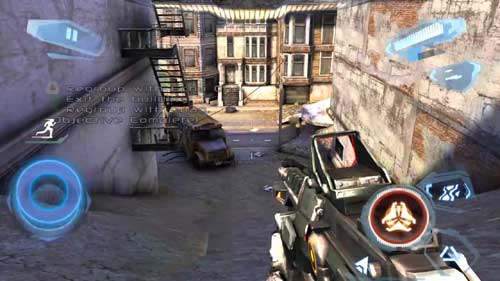
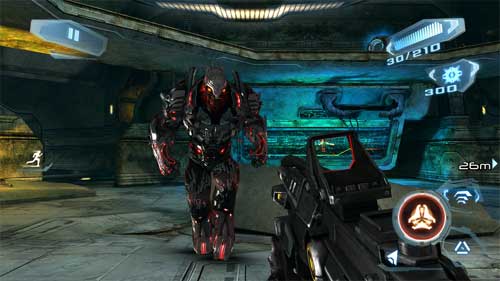
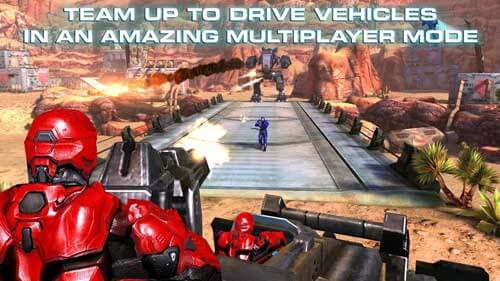
Stepping Into the Sci-Fi Battles of Nova 3 Freedom Edition
For enthusiasts of first-person shooter titles on mobile devices, immersive sci-fi campaigns often hold a distinct appeal. Blending futuristic weaponry, interplanetary exploration, and high-stakes combat, this genre tests both reflexes and tactical planning. Within this space, Nova 3 Freedom Edition stands out as a notable classic for Android hardware, delivering an expansive narrative and intense action that captures the essence of console-style shooters on a touchscreen interface.
The storyline picks up four months following a monumental triumph over the Volterites. Humanity’s ultimate defender, Kal Wardin, thought the conflict had reached its conclusion, but a renewed extraterrestrial threat forces him back into the fray. Players are tasked with taking up arms once more, pushing back against hostile forces to preserve the safety of Earth and beyond.
[SCREENSHOT]
Core Gameplay Mechanics and Campaign Scope
The journey spans a rich narrative campaign comprising ten distinct levels. Instead of remaining confined to a single environment, the protagonist travels across multiple worlds and celestial bodies—ranging from familiar terrestrial landscapes to the frozen urban canyons of a Volterite stronghold.
To overcome the alien opposition, participants must master a diverse toolkit that goes beyond standard infantry combat:
- Navigate through hostile territory using specialized vehicles designed for heavy combat.
- Command automated robots to lay down suppressive fire against multiple enemies simultaneously.
- Wield high-powered futuristic weaponry tailored for close-quarters skirmishes and long-range engagements.
- Engage in aggressive firefights while managing movement and cover mechanics in demanding environments.
Beyond the solo narrative arc, the title incorporates robust competitive options for those who prefer testing their skills against human opponents. Seven distinct multiplayer modes allow gamers from across the globe to measure their tactical proficiency in real-time combat scenarios.
Accessibility and Availability Context
Because older titles may no longer be actively maintained on mainstream storefronts, finding reliable installation files for legacy Android software can sometimes present a challenge. Users searching for archived builds often encounter broken hyperlinks or outdated directories. Providing a stable, verified package ensures that enthusiasts of retro mobile gaming can still access and enjoy these classic experiences without encountering persistent error prompts or broken update loops.
Running the application requires modest baseline specifications, making it compatible with a wide range of older and mid-range Android hardware running version 2.3 or higher. Ensuring that both the application package and its associated expansion data are placed correctly within the device directory structure allows the software to initialize smoothly upon first launch.
Installation Guidelines for Unofficial Builds
Setting up applications distributed outside of standard digital storefronts generally requires a few manual adjustments to device configurations. Because this specific build utilizes supplementary asset archives (OBB data), following a precise sequence ensures that the resources are recognized properly by the operating system.
Before initiating the setup procedure, it is recommended to temporarily disable active internet connections to prevent verification hiccups during the initial boot sequence. Permitting installations from unrecognized sources within the device security menu is also a necessary prerequisite for handling standalone application packages.
Once the primary package is installed, the accompanying data folder must be extracted and placed into the designated system directory—typically located within the internal storage under Android and OBB subfolders. Creating this directory manually if it does not already exist prevents file placement errors. After verifying that all assets are correctly positioned, launching the software will re-establish network connectivity automatically for online features and multiplayer matchmaking.